How to Configure the Router
Connecting to the Router (RUTX10)
To modify the router settings, first connect to the router by accessing its web interface. Open a browser and navigate to http://10.10.0.1. Use the credentials provided below to log in:
- username:
admin - password:
Fictionlab1
Modifying the settings
Change the SSID and password
Go to Network → Wireless → SSIDs tab.
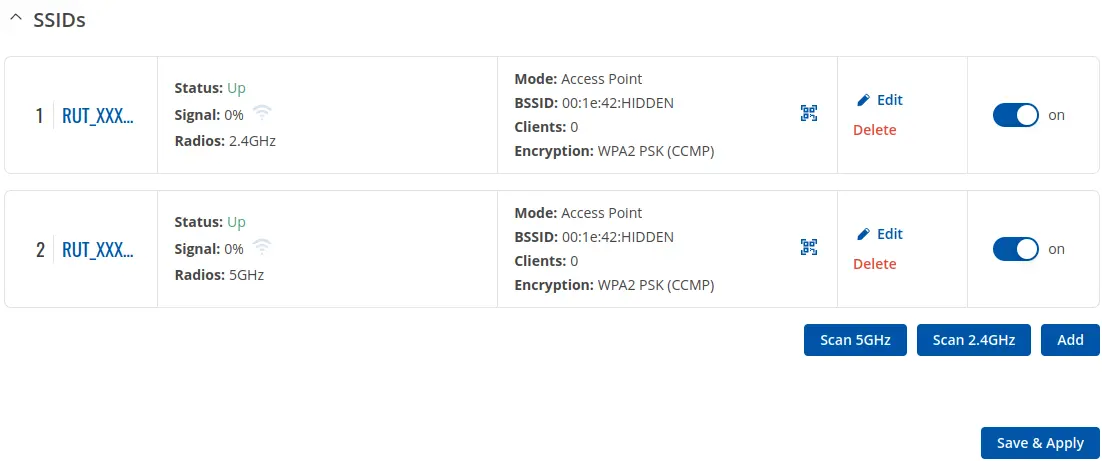
Click edit on the SSID you want to change.
You need to edit both SSIDs (2.4 GHz and 5 GHz) separately.
In the General Setup tab, modify the ssid and password fields and click
Save & Apply. The router will take a few seconds to apply the changes.
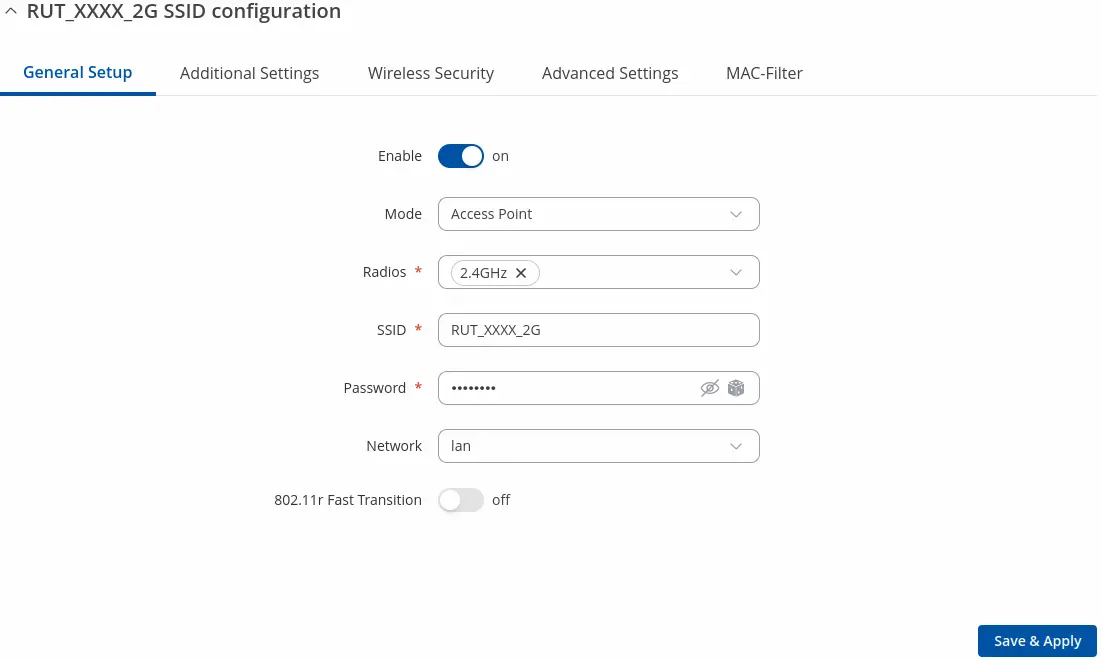
Changing the SSID or password will disconnect you from the network. You will need to reconnect using the new credentials.
Set the country code
Go to Network → Wireless → Radio tab and choose your country code from the
dropdown list in the Global settings section.

To apply the changes, click Save & Apply on the bottom right of the screen.
Setting the country code can limit the number of available channels to use.
Change the access point channel
Changing the channel may be useful if you notice the network interference in crowded areas or you want to use multiple Raph Rovers at once.
Go to Network → Wireless → Radio tab and click edit on the radio interface you
wish to modify.
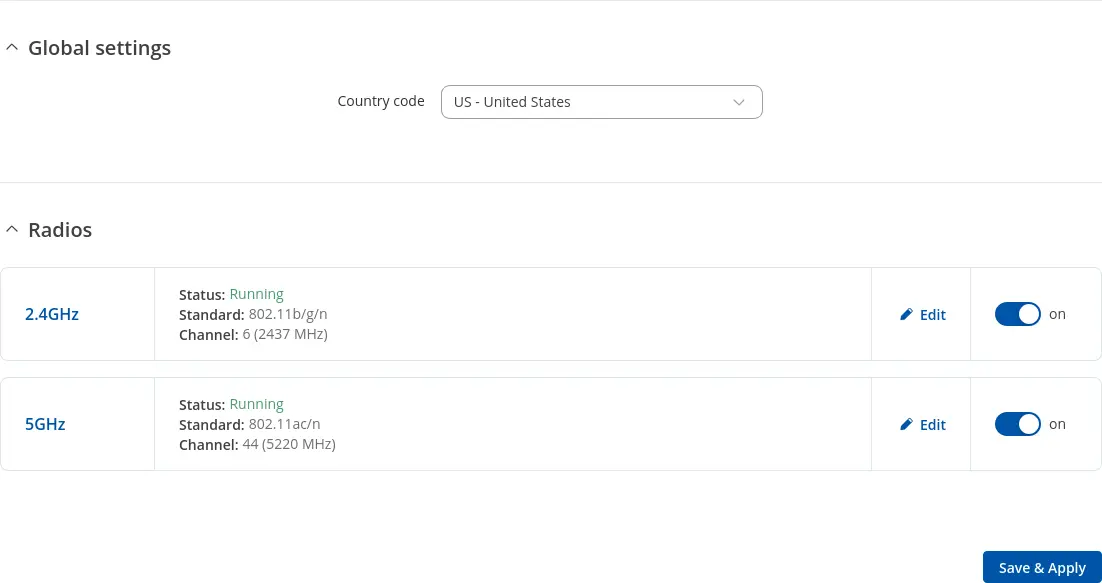
In the General Setup tab, modify the mode, channel and width fields.
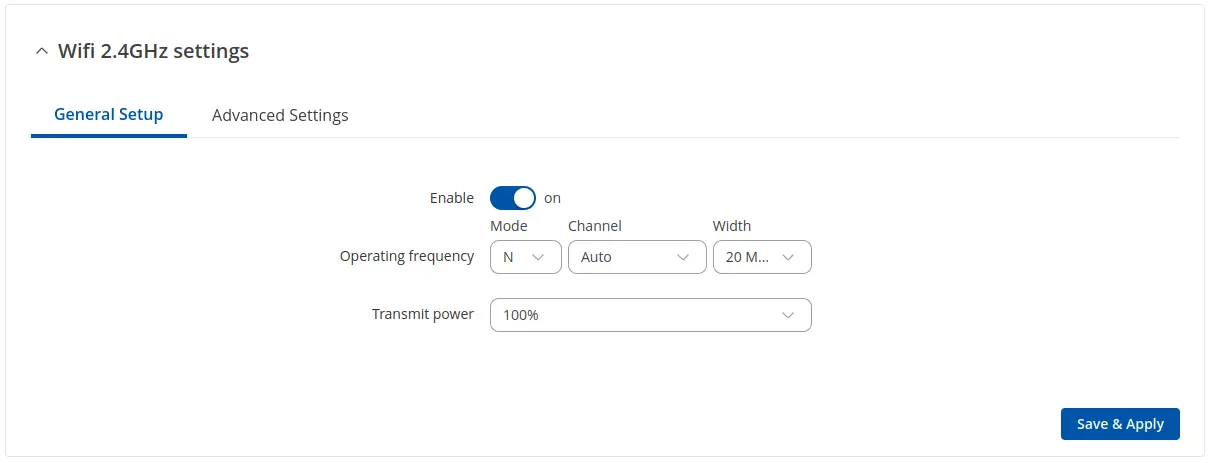
Then click Save & Apply to apply the changes.
Router manual
You can find more information about the router settings in the RUTX10 WebUI manual.